Key takeaways
- Compare 5 rugged mobile label printers for work: Brother PT-E720BT and PT-E920BT plus DYMO Rhino 4200 and 5200, on width, print quality, cutter and power.
A label printer earns its keep the day a cable is traced without guessing. On a rack, in a panel, or along a run of conduit, the label has to stay readable for years, through heat, dust, and handling. A printer built for the desk will not survive that life, and a label that peels off or fades turns a five-minute trace into a half-day hunt. The right choice is a printer made to travel to the work, print on durable tape, and cut cleanly.
This guide is for electricians, network technicians, and field crews who print labels where the work happens. The five printers below were picked from their Amazon listing titles and specifications: portable industrial models from Brother and rugged label makers from DYMO. Each one prints on durable tape and is built to be carried, so the comparison comes down to label width, print quality, cutting, and how the printer fits the way you work.
Quick Picks
As an Amazon Associate we earn from qualifying purchases
| Product | Best for | Key spec from title |
|---|---|---|
| Brother PT-E720BT | Lightest carry for everyday field labels | Bluetooth, auto-cutter, 1-inch labels |
| Brother PT-E920BT | Wider labels with sharper print | 360 dpi, 1-1/2-inch labels, dual auto-cutter |
| DYMO Rhino 4200 | Keyboard typing on the job | QWERTY keyboard, 150+ symbols |
| DYMO Rhino 5200 Kit | A complete kit with a carry case | Carry case included, 100-label memory |
| DYMO Rhino 5200 | Same 5200 without the case | Standalone unit, no carry case |
How to Choose
Match the label width to the job
A printer that tops out at about 1 inch handles wire wraps, breaker labels, and small asset tags, which is most of what a field tech prints in a day. Step up to about 1-1/2 inches when labels must carry longer text, barcodes, or panel legends that are read from a distance. Check the tape widths the printer accepts before anything else, because a printer that cannot take the tape you need is the wrong printer no matter how good the rest of the listing looks. The two Brother models in this guide split exactly on this line, while the DYMO handhelds sit in a different class where keyboard speed matters more than width.
Think about how you will send the print job
Bluetooth lets a phone send a label from the top of a ladder, while USB-C suits a laptop set up on a bench. The two Brother printers in this guide use Bluetooth, and the PT-E920BT adds USB-C, so a crew can print from either device without changing hardware. The DYMO Rhino 4200 takes a different path: a built-in QWERTY keyboard means the label is typed on the printer itself, with no phone or laptop in the loop at all. Decide which habit fits the work. A tech who walks a site with a phone in a pocket will favor Bluetooth; a tech who labels panels all day may prefer a keyboard under the thumbs.
Look at the cutter, not just the print head
Every printer in this guide prints, but they do not all finish a label the same way. An auto-cutter gives each label a clean, straight edge and keeps a batch moving, while a manual tear slows the work and leaves uneven edges that look rushed on a panel. The PT-E920BT goes further with a dual auto-cutter that trims both ends of each label. For a tech who prints a handful of labels a week, the cutter barely matters. For a crew labeling a whole rack in one visit, it is the difference between a tidy job and a long afternoon of tearing tape by hand.
Weigh ruggedness against weight
A rugged printer is meant to be carried, so its weight is part of the decision. The PT-E720BT weighs 1.4 lb and disappears into a tool bag, while the PT-E920BT at 2.58 lb trades lightness for a bigger print head and wider labels. The Rhino 4200 is compact by design and built to be held in one hand at the panel. A carry case matters too: the Rhino 5200 kit includes one, which keeps the printer protected between jobs. A 2-year limited warranty on the PT-E720BT is worth noting for a tool that will be bumped, dropped, and carried daily.
The 5 Best Options
Brother PT-E720BT
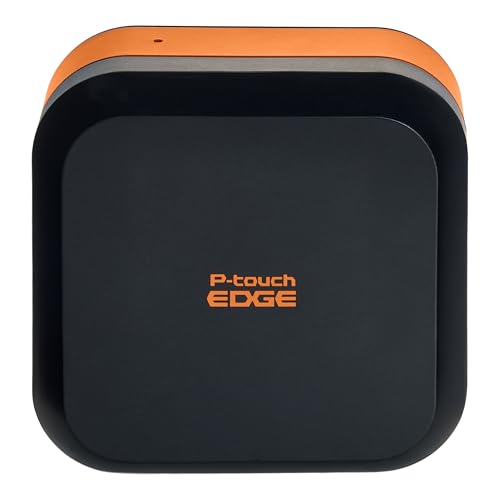
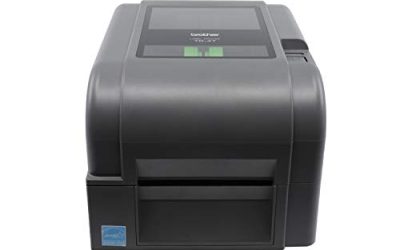
The PT-E720BT is the lightest printer in this guide at 1.4 lb, and that matters when it rides in a tool bag all day. Bluetooth sends labels from a phone, the rechargeable Li-ion battery removes the hunt for an outlet, and the auto-cutter gives each label a clean edge without a second step. Its 180 dpi print and labels up to about 1 inch cover wire wraps, breaker IDs, and asset tags, the everyday labels a field tech prints most. A 2-year limited warranty adds cover for a tool that gets carried and bumped.
Specs
- Portable industrial label printer
- Bluetooth connection
- Rechargeable Li-ion battery
- Auto-cutter
- Labels up to about 1 inch
- 180 dpi
- 2.6 x 5 x 5 in
- 1.4 lb
- 2-year limited warranty
Best for: A field tech who wants the lightest printer for everyday 1-inch labels.
Watch out for: Labels wider than about 1 inch need a different model, such as the PT-E920BT.
Brother PT-E920BT

The PT-E920BT is the step up when labels need to be bigger and sharper. Its 360 dpi print head lays down finer text and denser barcodes than the 180 dpi model, and it takes labels up to about 1-1/2 inches, which suits panel legends and rack labels read from a few feet away. The dual auto-cutter trims both ends of each label, Bluetooth and USB-C cover phone and laptop workflows, and at 2.58 lb it still travels in a tool bag. It is the pick for crews who print fewer labels but need each one to look its best.
Specs
- Portable industrial label printer
- Bluetooth connection
- USB-C
- Dual auto-cutter
- 360 dpi
- Labels up to about 1-1/2 inches
- 3.7 x 5.43 x 5.43 in
- 2.58 lb
Best for: Wider labels and sharper print for panels and racks.
Watch out for: It is the heaviest printer in this guide, so check the tool bag weight first.
DYMO Rhino 4200

The Rhino 4200 is a handheld label maker for people who would rather type than tap a phone screen. Its QWERTY keyboard lets a tech key in a label while standing at the panel, and the 150-plus symbols cover the electrical and networking marks that plain text cannot. Thermal printing means no ink or toner to carry, and the compact handheld shape fits in a hand or a pocket. It is the simplest tool in this guide, and for quick one-off labels on a job site, simple wins.
Specs
- Rugged handheld industrial label maker
- QWERTY keyboard
- 150+ symbols
- Thermal printing
- Compact
Best for: Quick typed labels at the panel with no phone needed.
Watch out for: The listing states no print resolution or maximum label width, so confirm the tape sizes before ordering.
DYMO Rhino 5200 Kit

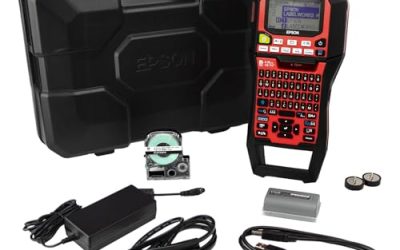
The Rhino 5200 kit is the buy-once option for a crew that wants the printer and its protection in one box. The kit includes a carry case, so the printer travels protected instead of loose in a bag with pliers and testers. Inside, the 5200 stores up to 100 labels in memory and offers more than 100 symbols, which suits patch-panel legends and cable schedules that get printed again and again. The ANSI/TIA-EIA 606-A reference in the listing marks it as a tool aimed at structured-cabling work, where consistent labeling is part of the job itself.
Specs
- Rugged industrial label maker
- ANSI/TIA-EIA 606-A
- 100+ symbols
- 100-label memory
- Kit includes carry case
Best for: A crew that wants the printer plus a protective carry case in one purchase.
Watch out for: Buyers who already own a case may prefer the standalone 5200 below.
DYMO Rhino 5200

The standalone Rhino 5200 is the same model as the kit version, minus the carry case. That makes it the right pick for anyone who already has a case, a padded pouch, or a bag with a protected pocket and does not want a second one. It shares the same 100-plus symbols and 100-label memory as the kit version, so nothing about the printing itself changes. The only decision is storage: if the printer will live in a tool bag unprotected, the kit version is the safer buy; if it already has a home, this one is enough.
Specs
- Rugged industrial label maker
- ANSI/TIA-EIA 606-A
- 100+ symbols
- 100-label memory
- Standalone unit, no carry case
Best for: Owners of a case who need the same 5200 printer without a duplicate case.
Watch out for: Without a case, the printer rides unprotected in a tool bag.
Which One Fits Your Situation
You label patch panels and racks
Pick the PT-E920BT or the Rhino 5200 kit. The PT-E920BT prints wider, sharper legends at 360 dpi, which read well from a few feet away, and its dual auto-cutter keeps a long run of labels tidy. The 5200 kit counters with 100-label memory, so a panel legend printed once can be printed again without retyping. Either way, the work is a batch job, so a cutter and a memory matter more than weight.
You work outdoors or on a remote site
Pick the PT-E720BT or a DYMO handheld. The PT-E720BT weighs only 1.4 lb, runs on its rechargeable Li-ion battery, and prints from a phone over Bluetooth, so the whole setup fits in a tool bag with no outlet nearby. The Rhino 4200 is a compact handheld built for one-hand use at the panel. If the printer will travel loose in a bag, the 5200 kit with its carry case is the safer choice.
You mostly print small wire and cable labels
Pick the PT-E720BT or the Rhino 4200. Labels up to about 1 inch cover wire wraps, breaker IDs, and asset tags, which is most of what a small-label job needs. The PT-E720BT adds Bluetooth printing from a phone and an auto-cutter for clean edges. The Rhino 4200 adds a QWERTY keyboard for typing labels at the panel with no phone at all. Wider, sharper printing is wasted here, so save the weight and pick the smaller tool.
One printer is shared across a team
Pick the Rhino 5200 kit or the PT-E920BT. The 5200 kit travels in its carry case from van to van, and its 100-label memory holds the legends the whole team reprints. The PT-E920BT lets anyone print from a phone over Bluetooth or a laptop over USB-C, so no single device becomes the bottleneck. Either way, agree on one tape width for the team, because a shared printer with the wrong tape in it helps no one.
Common Mistakes
- Buying a printer without checking the tape widths it accepts, then finding the labels for the job do not fit.
- Assuming every model has a keyboard — the Brother printers print from a phone or laptop, not from built-in keys.
- Treating the two Rhino 5200 listings as different printers — they are the same model, and only the carry case sets them apart.
- Skipping the carry case and letting a printer ride loose in a tool bag with pliers and testers.
- Picking the sharpest, widest printer for a job that only ever needs small wire labels.
Frequently Asked Questions
Do I need a phone or computer to print labels?
Not with the Rhino 4200. It has a built-in QWERTY keyboard, so labels are typed on the printer itself. The two Brother printers work the other way: they print from a phone over Bluetooth, and the PT-E920BT also connects over USB-C to a laptop. Pick the habit that matches the way the crew already works.
What is the widest label each printer takes?
The PT-E920BT takes the widest labels in this guide at up to about 1-1/2 inches, while the PT-E720BT tops out at about 1 inch. The DYMO listings in this guide do not state a maximum label width, so check the tape sizes on the listing before ordering. In practice, wire and cable labels rarely need more than 1 inch, while panel legends benefit from the wider Brother.
Are the two Rhino 5200 listings different printers?
No. Both listings are the same Rhino 5200 model with the same 100-plus symbols and 100-label memory. The only difference is what comes in the box: one listing is a kit that includes a carry case, and the other is the standalone printer with no case. Buy the kit if the printer needs protection in a tool bag, or the standalone if a case is already owned.
Which printer prints the sharpest labels?
The PT-E920BT prints at 360 dpi, the highest resolution stated in this guide, and it is the pick when fine text and dense barcodes must stay readable. The PT-E720BT prints at 180 dpi, which is fine for everyday wire and breaker labels. The DYMO listings in this guide do not state a print resolution, so sharpness cannot be compared the same way for those models.