Key takeaways
- Compare the best HDMI splitters for mirroring one source on two or more TVs, with 4K 60Hz support, downscaling, EDID and output counts explained.
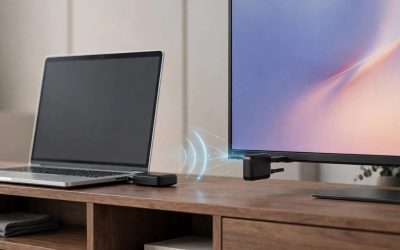
An HDMI splitter takes one source, such as a streaming box, Blu-ray player, or game console, and mirrors the same picture and sound to two or more displays at the same time. The best HDMI splitters for a home setup are the J-Tech Digital JTECH-18GSP14M if you need four outputs with per-screen downscaling, the EZCOO EZ-SP12H2 for a two-TV room with mixed 4K and 1080p screens, and the MT-VIKI MT-SP102 if you only need a simple, inexpensive mirror for two Full HD displays.
Every splitter in this roundup is a powered model, because powered distribution is what keeps the signal stable on both outputs. The five picks split into two output counts and two performance classes: HDMI 2.0 models that pass 4K at 60Hz with HDR, and simpler HDMI 1.4 models that top out at 4K at 30Hz but cost less and still handle 1080p perfectly. As an Amazon Associate, we earn from qualifying purchases.
Table of Contents
- How to Choose an HDMI Splitter
- Quick Comparison
- 1. J-Tech Digital 1×4 HDMI 2.0 Splitter (JTECH-18GSP14M)
- 2. EZCOO HDMI Splitter 1 in 2 Out (EZ-SP12H2)
- 3. OREI 1×4 HDMI Splitter (HD-104)
- 4. MT-VIKI 4K HDMI Splitter 1 in 2 Out (MT-SP102)
- 5. KELIIYO HDMI Splitter 1 in 4 Out
- Before You Buy: Cables, EDID and Mixed TVs
- FAQ
- Conclusion
- Product and ASIN Reference
How to Choose an HDMI Splitter
Start with the distinction that causes the most returns: a splitter is not a switch. A splitter sends one source to several displays, and every display shows the same thing. A switch does the opposite, sending several sources to one display. If you want different content on each TV, no splitter can do that; you need a second source or a matrix setup instead.
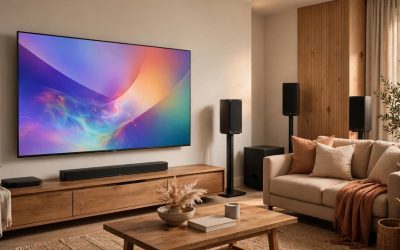
Next, count your outputs. A 1×2 splitter feeds two displays, which covers the classic living room plus bedroom mirror. A 1×4 splitter feeds four, which suits a media room with a TV and projector, a sports setup with several screens, or a small commercial space. Buying the larger count than you need today is reasonable because the price gap between the classes is small and the extra ports simply sit unused.
Then match the performance class to your source. For a 4K streaming box, a 4K Blu-ray player, or a current game console, choose an HDMI 2.0 splitter rated for 4K at 60Hz and 18 Gbps bandwidth, with HDCP 2.2 so protected 4K content plays without a black screen. For a cable box, an older console, or any 1080p source, an HDMI 1.4 splitter rated for 4K at 30Hz is enough, because the source itself never sends more than that.
The last check is mixed displays. On a basic splitter, every output follows one shared format, so a 4K TV paired with a 1080p TV usually means both get 1080p. Splitters with per-output downscaling break that rule: the 4K screen keeps its full signal while the 1080p screen receives a converted copy. If your two displays differ, that single feature matters more than anything else on the spec sheet.
Quick Comparison
| Product | Outputs | Max Resolution | HDMI Version | Downscaling | Tier |
|---|---|---|---|---|---|
| J-Tech Digital JTECH-18GSP14M | 4 | 4K at 60Hz | 2.0 | Yes, per output | Premium |
| EZCOO EZ-SP12H2 | 2 | 4K at 60Hz | 2.0b | Yes, per output | Mid-range |
| OREI HD-104 | 4 | 4K at 30Hz | 1.4 | No | Mid-range |
| MT-VIKI MT-SP102 | 2 | 4K at 30Hz | 1.4 | No | Budget |
| KELIIYO 1×4 Splitter | 4 | 4K at 30Hz | 1.4b | No | Budget |
1. J-Tech Digital 1×4 HDMI 2.0 Splitter (JTECH-18GSP14M)
The JTECH-18GSP14M is the pick for a four-screen setup that mixes old and new displays. It is an HDMI 2.0 splitter with 18 Gbps bandwidth, so it passes a full 4K signal at 60Hz with 4:4:4 color, HDR10, and Dolby Vision to four outputs at once. That is the ceiling of the HDMI 2.0 standard, and it covers every current streaming box, console, and 4K Blu-ray player.
Its defining feature is Multi-Resolution Output, J-Tech Digital’s name for independent downscaling on each output. A 4K TV, a 1080p TV, and an older projector can all hang off the same source, and each receives the best format it can show instead of the whole chain dropping to the lowest common denominator. For a media room that grew over several years, that is the difference between one splitter and a shelf of compromises.
The trade-off is that this is the most complex box in the roundup, and its published listing data is thinner than the OREI models below: dimensions, weight, and an HDCP figure are not stated in the listing data reviewed, so the Specs block records only what the maker’s published model information confirms.
Specs
- Splits: 1 HDMI input to 4 HDMI outputs
- HDMI version: 2.0
- Bandwidth: 18 Gbps
- Maximum resolution: 4K at 60Hz, 4:4:4
- HDR support: HDR10 and Dolby Vision
- Downscaling: Multi-Resolution Output, per-output 4K to 1080p conversion
- HDCP: Not stated in the listing data reviewed
- Dimensions: Not stated
- Item weight: Not stated
2. EZCOO HDMI Splitter 1 in 2 Out (EZ-SP12H2)
The EZ-SP12H2 is the strongest two-output pick, built for the common case of one 4K TV and one older 1080p screen. It is an HDMI 2.0b splitter with HDCP 2.2 and 18 Gbps bandwidth, supporting 4K at 60Hz with 4:4:4 color, HDR, and Dolby Vision, plus passthrough for Dolby Atmos and DTS:X audio. On paper and in the maker’s manual, it matches the J-Tech box feature for feature at two outputs instead of four.
Each output downscales independently from 4K to 1080p, set with DIP switches and the included pin key, and the EDID settings can also be adjusted so a stubborn source sees the display profile you choose. The box itself is tiny, at 2.3 x 2 x 0.7 inches and 3.17 ounces, and it runs from a USB power cable, so a TV’s USB port or any spare adapter can power it. The manual is explicit about the scaler’s limits: it downscales only, never upscales, and ARC is not supported, so route soundbar audio through the TV or the source as you normally would.
Specs
- Splits: 1 HDMI input to 2 HDMI outputs
- HDMI version: 2.0b
- HDCP: 2.2
- Bandwidth: 18 Gbps
- Maximum resolution: 4K at 60Hz, 4:4:4, 8-bit
- HDR and audio: HDR and Dolby Vision passthrough; Dolby Atmos, Dolby TrueHD and DTS:X audio support
- Downscaling: Independent per-output 4K to 1080p downscaling with EDID DIP switches
- Dimensions: 2.3 x 2 x 0.7 inches
- Item weight: 3.17 ounces
- Power: USB power cable included; splitter, cable tie and pin key in the box
3. OREI 1×4 HDMI Splitter (HD-104)
The HD-104 is OREI’s long-running four-output workhorse, and it suits a setup where every display is 1080p or the source itself is a cable box or older player. It splits one input to four identical outputs at up to 4K at 30Hz, with HDMI 1.4 and HDCP 1.4 compliance, EDID management, and 3D support. Audio passthrough is broad, covering LPCM, Dolby-AC3, DTS 7.1, DSD, Dolby TrueHD, and DTS-HD Master Audio, so a receiver in the chain still gets its full soundtrack.
The metal enclosure is the practical highlight: it protects the board and sheds heat during always-on use, which is how these boxes usually live in a rack or behind a TV wall. A 100 to 240 volt auto-switching power supply is included, along with a 12-month manufacturer warranty. The limits are the class limits: no 4K at 60Hz, no HDCP 2.2 for protected 4K streaming, and no downscaling, so mixed-resolution chains settle at the shared format.
Specs
- Splits: 1 HDMI input to 4 HDMI outputs
- HDMI version: 1.4
- HDCP: 1.4
- Maximum resolution: 4K at 30Hz, plus 1080p, 720p and VGA to WUXGA
- Audio support: LPCM, Dolby-AC3, DTS 7.1, DSD, Dolby TrueHD, DTS-HD Master Audio
- EDID: EDID management included
- Enclosure: Metal
- Power: 100 to 240 volt auto-switching power supply included
- Dimensions: 7 x 3 x 1 inches
- Warranty: 12-month manufacturer warranty
4. MT-VIKI 4K HDMI Splitter 1 in 2 Out (MT-SP102)
The MT-SP102 is the simple answer for two displays and a 1080p or basic 4K source. It mirrors one input to two outputs at up to 4K at 30Hz and 1080p at 60Hz, with 10.2 Gbps bandwidth and HDMI 1.4 with HDCP 1.4 support. There is no downscaling and no EDID panel to configure, which is exactly the point: connect the included power adapter, plug in two displays, and the same picture appears on both.
The metal shell and the included power adapter separate it from the cheapest unbranded 1×2 boxes, which often ship as bare USB-powered pucks. MT-VIKI’s listing is also unusually clear about what the device is not: it is not a switch, it cannot extend a desktop, and both screens always show identical content. For a TV mirrored to a second room or a projector paired with a confidence monitor, that honesty describes the job precisely.
Specs
- Splits: 1 HDMI input to 2 HDMI outputs
- HDMI version: 1.4
- HDCP: 1.4
- Bandwidth: 10.2 Gbps
- Maximum resolution: 4K at 30Hz, plus 1080p at 60Hz and 720p at 60Hz
- Downscaling: No, mirror only
- Enclosure: Metal
- Power: Power adapter included
- Dimensions: Not stated
- Item weight: Not stated
5. KELIIYO HDMI Splitter 1 in 4 Out
The KELIIYO 1×4 is the budget route to four displays. It runs HDMI version 1.4b and splits one input to four identical outputs, supporting Ultra HD 1080p, 2K, and 4K at 30Hz, plus 3D. An AC adaptor is included, so it runs as a properly powered distribution box rather than leaning on a TV’s USB port, and the four outputs make it a fit for a game room, a classroom, or a small venue wall where every screen shows the same feed.
Its limits are stated plainly by the maker: it does not support 4K at 60Hz, and HDMI cables are not included, so budget for four output cables if you do not already own them. Published dimensions and weight are not stated in the listing data reviewed. Within those limits, it covers the same mirror-to-four-screens job as the OREI HD-104, and the choice between them comes down to OREI’s metal case, broader audio list, and warranty against KELIIYO’s simpler, lower-cost take on the same format.
Specs
- Splits: 1 HDMI input to 4 HDMI outputs
- HDMI version: 1.4b
- Maximum resolution: 4K at 30Hz, plus 2K and Ultra HD 1080p
- 3D support: Yes
- Downscaling: No, mirror only
- Power: AC adaptor included
- Model number: 104
- Dimensions: Not stated
- Item weight: Not stated
Before You Buy: Cables, EDID and Mixed TVs
Three checks prevent most splitter disappointments. First, cables: a splitter can only pass what the cables carry, so a 4K at 60Hz chain needs High Speed or Premium High Speed HDMI cables on both the input and every output, kept reasonably short. Several makers recommend runs of 30 feet or less per leg, and long passive runs are the most common cause of flicker and dropouts blamed on the splitter itself.
Second, power: every pick here is a powered splitter, and it should stay powered. USB-powered models need a real 5 volt supply from an adapter or a TV USB port that stays live; a starved splitter produces exactly the intermittent black screens that look like a defective box.
Third, EDID: the source reads the display information the splitter presents and chooses its output format from it. On a plain splitter with mixed TVs, expect the shared format to win. On the J-Tech Digital and EZCOO models, use the downscaling and EDID settings deliberately, because they exist precisely for the 4K plus 1080p pairing that frustrates basic setups.
FAQ
What is the difference between an HDMI splitter and an HDMI switch?
A splitter sends one source to several displays at the same time, with identical content on each. A switch sends several sources to one display, one at a time. The two are often confused because both are small HDMI boxes, but they solve opposite problems, and a splitter cannot combine two sources or a switch cannot mirror one source to two TVs simultaneously.
Can an HDMI splitter show different content on each TV?
No. Every output of a splitter carries the same picture and sound, because the device duplicates a single signal. Showing different content on each screen requires a separate source for each display, or a matrix switcher that routes different inputs to different outputs, which is a different and more complex product class.
What happens if I connect a 4K TV and a 1080p TV to the same splitter?
On a basic splitter, the chain negotiates one shared format, so the 4K TV usually receives 1080p. On a splitter with per-output downscaling, such as the J-Tech Digital JTECH-18GSP14M and the EZCOO EZ-SP12H2 in this roundup, the 4K TV keeps its full 4K signal while the 1080p TV receives a downscaled copy, and both play at the same time.
Do HDMI splitters reduce picture quality?
A powered splitter that matches your source’s format passes the signal through at full quality: an HDMI 2.0 model rated for 4K at 60Hz and 18 Gbps delivers the same resolution, refresh rate, and HDR formats it receives. Quality problems usually trace back to asking a splitter to pass more than its rating, such as sending 4K at 60Hz through an HDMI 1.4 model, or to cables that cannot carry the bandwidth over the distance involved.
Conclusion
For most two-TV homes, the EZCOO EZ-SP12H2 is the splitter to buy: full HDMI 2.0 performance, HDCP 2.2, and independent downscaling in a box small enough to disappear behind a TV. If you need four outputs at the same standard, the J-Tech Digital JTECH-18GSP14M adds the same mixed-display flexibility at 1×4. The OREI HD-104 remains the dependable four-output choice for 1080p sources, while the MT-VIKI MT-SP102 and the KELIIYO 1×4 cover simple mirroring jobs for two and four screens at the lowest complexity. Match the output count first, the performance class second, and the downscaling question third, and the right model picks itself.