Key takeaways
- Four industrial thermal-transfer label printers compared on print width, resolution, ribbon capacity and connectivity, from Amazon listing specs.
Choosing an industrial thermal-transfer printer comes down to one decision: matching the machine to the labels it must produce every shift. Print width, resolution, ribbon capacity and build quality decide whether a printer keeps a packing line moving or becomes the bottleneck everyone works around. A unit that is too small wastes ribbon and media on oversized stock, while an oversized unit ties up budget and bench space without adding anything to the labels you actually print.


This roundup is for warehouse, manufacturing and logistics teams that have outgrown desktop label printers and need ribbon-based output that survives abrasion, moisture and handling. Each pick below was chosen from the names and specifications on its Amazon product page, and every model here is an industrial thermal-transfer machine with a metal build, not a direct-thermal-only desktop unit.
Quick Picks
As an Amazon Associate we earn from qualifying purchases.
| Product | Best for | Key spec from title |
|---|---|---|
| Zebra ZT411 Thermal Transfer Industrial Printer, 300 dpi | Dense barcodes and small product labels | 300 dpi, 4-inch print width |
| Zebra ZT231 300 DPI Thermal Transfer Industrial Printer | First step up from a desktop printer | 300 dpi with touch display and tear bar |
| SATO CL4NX Plus 203 dpi Thermal Transfer Printer with RTC | Crews that load media and ribbon often | 203 dpi, 4.1-inch print width |
| Zebra ZT421 Thermal Transfer Industrial Printer, 6-inch | Wide pallet, drum and compliance labels | 6-inch print width, 203 dpi |
How to Choose
Match Print Width to Your Widest Label
Start with the widest label you print today, plus any format you expect to add within the life of the printer. Most carton, product and compliance labels fit a 4-inch path, which keeps media and ribbon choices broad and easy to source. Pallet labels, drum labels and some chemical formats need a 6-inch machine, and no setting on a 4-inch printer will stretch to cover them. Also check the maximum media width and roll diameter the chassis accepts, because a wider printer that only takes small rolls still stops the line for changeovers.
Pick Resolution for Your Smallest Barcode
Resolution decides how small and dense your barcodes and text can be before scanners start rejecting them. A 203 dpi head handles standard shipping and carton labels comfortably and runs at the fastest speeds. Moving to 300 dpi sharpens small fonts, tight 2D codes and logo work, which matters for electronics, pharmaceutical and component labels, though top print speed usually drops. Reserve 600 dpi for genuine micro-label work. Match the head to the smallest label in your mix, and remember that printheads are resolution-specific when you order spares or plan an upgrade path.
Check Ribbon Capacity and Ribbon Type
Ribbon is the consumable that defines thermal-transfer printing, so confirm what each machine accepts before ordering stock. Longer ribbons, such as 450 meter and 600 meter rolls, mean fewer changeovers per shift and fewer chances to load a roll the wrong way. Check ribbon width against your label width, since ribbon narrower than the label leaves unprinted edges and ribbon far wider wastes material. Then match the ribbon formulation to the label stock: wax for plain paper, wax-resin for coated and synthetic labels, and full resin where labels face chemicals, heat or outdoor exposure.
Confirm Connectivity and Printer Languages
An industrial printer has to speak to the systems that send it labels. Ethernet is the standard connection for a fixed station on a warehouse network, while USB and serial still matter for standalone benches and older equipment. Just as important is the command language: most label software sends ZPL, and printers from other brands often emulate ZPL, DPL or similar languages so they can replace an existing unit without rewriting label formats. Confirm the exact interfaces fitted to the configuration you are ordering, because ports and wireless radios vary between variants of the same model.
The 4 Best Options
Zebra ZT411 Thermal Transfer Industrial Printer, 300 dpi (ZT41143-T010000Z)
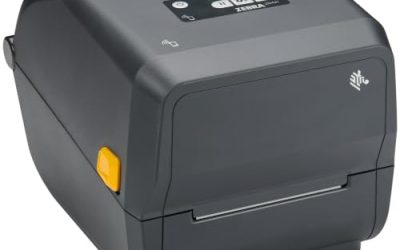
The ZT411 is Zebra’s midrange industrial workhorse, built around a metal frame and a bi-fold media cover that opens in tight spaces where a full-size door would foul shelving. This configuration pairs the 4-inch print path with a 300 dpi head, which suits dense barcodes, small product labels and compliance formats that a 203 dpi machine renders too coarsely. The listing highlights side-loading supplies, a roll path that accepts 3-inch cores up to 8 inches in diameter, and a connection set covering serial, USB, Ethernet and Bluetooth, so it drops into most existing label workflows without new infrastructure.
Specs
- Print method: Thermal transfer and direct thermal
- Resolution: 300 dpi
- Print width: 4 inches
- Connectivity: Serial, USB, Ethernet, Bluetooth
- Media handling: Thermal transfer rolls on a 3-inch core, up to 8-inch diameter
- Model number: ZT41143-T010000Z
Best for: High-volume 4-inch labeling where small, dense barcodes must scan first time.
Watch out for: Marketplace listings for this model have drawn complaints about overseas-variant units being shipped, so check the seller and the exact model code before ordering.
ASIN: B089C9DJ95
Zebra ZT231 300 DPI Thermal Transfer Industrial Printer
The ZT231 is the entry point to Zebra’s industrial line and the natural upgrade when a desktop unit starts holding up dispatch. It keeps the metal frame and bi-fold door of its bigger siblings in a smaller footprint, and this listing is the thermal transfer version with a 300 dpi head, a color touch display and a tear bar. Zebra rates the 300 dpi configuration at up to 8 inches per second, and the platform accepts field-installed options such as a cutter, peeler and RFID kit, so the printer can grow with the operation instead of being replaced.
Specs
- Print method: Thermal transfer and direct thermal
- Resolution: 300 dpi
- Maximum print width: 4.09 inches
- Print speed: Up to 8 inches per second at 300 dpi
- Connectivity: Ethernet, Bluetooth, Serial, USB
- Media handling: Touch display and tear bar fitted; ribbon up to 1,476 feet (450 m)
Best for: Growing warehouses moving up from desktop printers that still need 300 dpi output.
Watch out for: Many ZT231 listings are direct-thermal-only variants that cannot take a ribbon, so confirm the listing title says thermal transfer before ordering.
ASIN: B0C2TH8R8R
SATO CL4NX Plus 203 dpi Thermal Transfer Printer with RTC
SATO built the CL4NX Plus around the operator rather than the spec sheet. The print head opens to roughly 60 degrees, the color screen plays tutorial videos for loading media and ribbon, and the chassis swallows 10-inch media rolls and 600 meter ribbons, so changeovers are rare and hard to get wrong. This Amazon configuration is the 203 dpi model with a real-time clock fitted and a connection set spanning LAN, USB, serial and Bluetooth. Emulation modes let it stand in for printers from other brands, which helps when one line runs mixed hardware.
Specs
- Print method: Thermal transfer
- Resolution: 203 dpi
- Print width: 4.1 inches (104 mm)
- Connectivity: LAN (Ethernet), USB, Serial, Bluetooth
- Media type: Labels
- Fitted extra: Real-time clock (RTC)
Best for: Sites with rotating operators who need loading to be simple and hard to get wrong.
Watch out for: Wireless networking beyond Bluetooth is an added option on this platform, and this configuration prints at 203 dpi only.
ASIN: B0965KGH2B
Zebra ZT421 Thermal Transfer Industrial Printer, 6-inch (ZT42162-T010000Z)

The ZT421 takes the ZT411 platform and stretches it to a 6-inch print path, which is the upgrade that matters when labels outgrow the 4-inch standard. It keeps the metal frame, bi-fold cover and color touch display of the smaller machine, and this configuration runs a 203 dpi head rated by Zebra at up to 12 inches per second. That combination covers pallet labels, drum labels and wide compliance formats at production speed. Serial, USB, Ethernet and Bluetooth 4.1 are all fitted, and the printer shares the ZT400 family’s field-installable media handling options, including cutters and rewind kits.
Specs
- Print method: Thermal transfer and direct thermal
- Resolution: 203 dpi
- Print width: 6-inch class, up to 6.6 inches
- Print speed: Up to 12 inches per second at 203 dpi
- Connectivity: USB, Serial, Ethernet, Bluetooth 4.1
- Model number: ZT42162-T010000Z
Best for: Operations whose widest labels no longer fit a 4-inch printer.
Watch out for: The wider chassis and wider ribbon stock both add running bulk, so it is wasted money if every label you print is 4 inches or narrower.
ASIN: B0FB4X185T
Which One Fits Your Situation
You Run a Busy 4-Inch Line With Small Labels
Pick the ZT411 in its 300 dpi configuration. The finer head keeps dense barcodes and small print scannable, the metal frame and bi-fold cover suit continuous duty in tight packing areas, and the full connection set means it can replace an older unit without changes to the rest of the station. Order ribbon and media on 3-inch cores to match its roll path.
You Are Outgrowing a Desktop Label Printer
Start with the ZT231. It gives you the industrial essentials, metal construction, long ribbons and network connectivity, in a smaller footprint and at the gentler end of industrial running costs. The touch display shortens training for staff who already know desktop machines, and field-installable options let you add a cutter or peeler later instead of buying a bigger printer today.
Your Operators Change Every Shift
Choose the SATO CL4NX Plus. The wide-opening head, on-screen loading videos and long ribbon and media capacity are aimed squarely at reducing operator error and changeover stops. The fitted real-time clock keeps date and time printing accurate for batch and expiry labels, and its emulation modes help if the rest of the floor runs a different brand.
You Print Pallet, Drum or Chemical Labels
Go straight to the ZT421. A 6-inch path is the only way to cover wide formats without splitting labels across two prints, and the 203 dpi head at full speed is well matched to large, bold pallet and drum graphics. Pair it with resin ribbon and synthetic media where labels face weather, abrasion or chemical splashes in storage and transit.
Common Mistakes
- Buying a direct-thermal-only variant of a model family and discovering it cannot take the ribbon your durable labels require.
- Choosing 203 dpi for tiny component or pharmaceutical labels, then fighting scanners that reject the coarse barcodes.
- Ordering ribbon by width alone and ignoring length, core size and whether the printer expects a specific roll format.
- Assuming cutters, peelers and rewind kits are included, when they are separate factory or field-installed options on most industrial models.
- Skipping the seller check on marketplace listings, which is how overseas-variant units with the wrong power supply and no local support end up on the line.
Frequently Asked Questions
What is the difference between thermal transfer and direct thermal printing?
Thermal transfer melts ink from a ribbon onto the label, producing print that resists heat, moisture, abrasion and chemicals for years. Direct thermal darkens heat-sensitive label stock with no ribbon, which is simpler and cheaper per label, but the image fades with heat, sunlight and friction. Choose thermal transfer for product, asset and compliance labels that must stay readable, and direct thermal mainly for short-life shipping labels.
Which ribbon type should I buy for an industrial printer?
Match the ribbon to the label material and the conditions it faces. Wax ribbon suits plain paper labels used indoors. Wax-resin handles coated paper and many synthetics and shrugs off smudging and light moisture. Full resin is the choice for synthetic labels exposed to chemicals, heat or outdoor storage. The printer maker lists approved combinations for each model, and staying inside them protects print quality and the printhead.
Can an industrial thermal-transfer printer also print direct thermal?
Most can. The Zebra models in this roundup are listed as thermal transfer and direct thermal machines, so they print on direct thermal stock with the ribbon removed or left unthreaded, depending on the model. Running both ways is useful when one station handles shipping labels and durable product labels. Check the listing for the exact variant, because some configurations of the same family are built for one method only.
How long do thermal-transfer labels actually last?
Printed with the right ribbon and media pairing, thermal-transfer labels routinely stay readable for years, including in freezers, warehouses and outdoor yards. Resin ribbon on synthetic stock is the most durable combination and stands up to solvents and abrasion. Longevity drops when ribbon and media are mismatched, so treat the pairing, not the printer alone, as the thing that decides how long a label survives in service.